Sponsorship management features
See how publishers use Sponsy to plan and sell ad inventory, collect sponsor creative and report on what ran.
Browse all features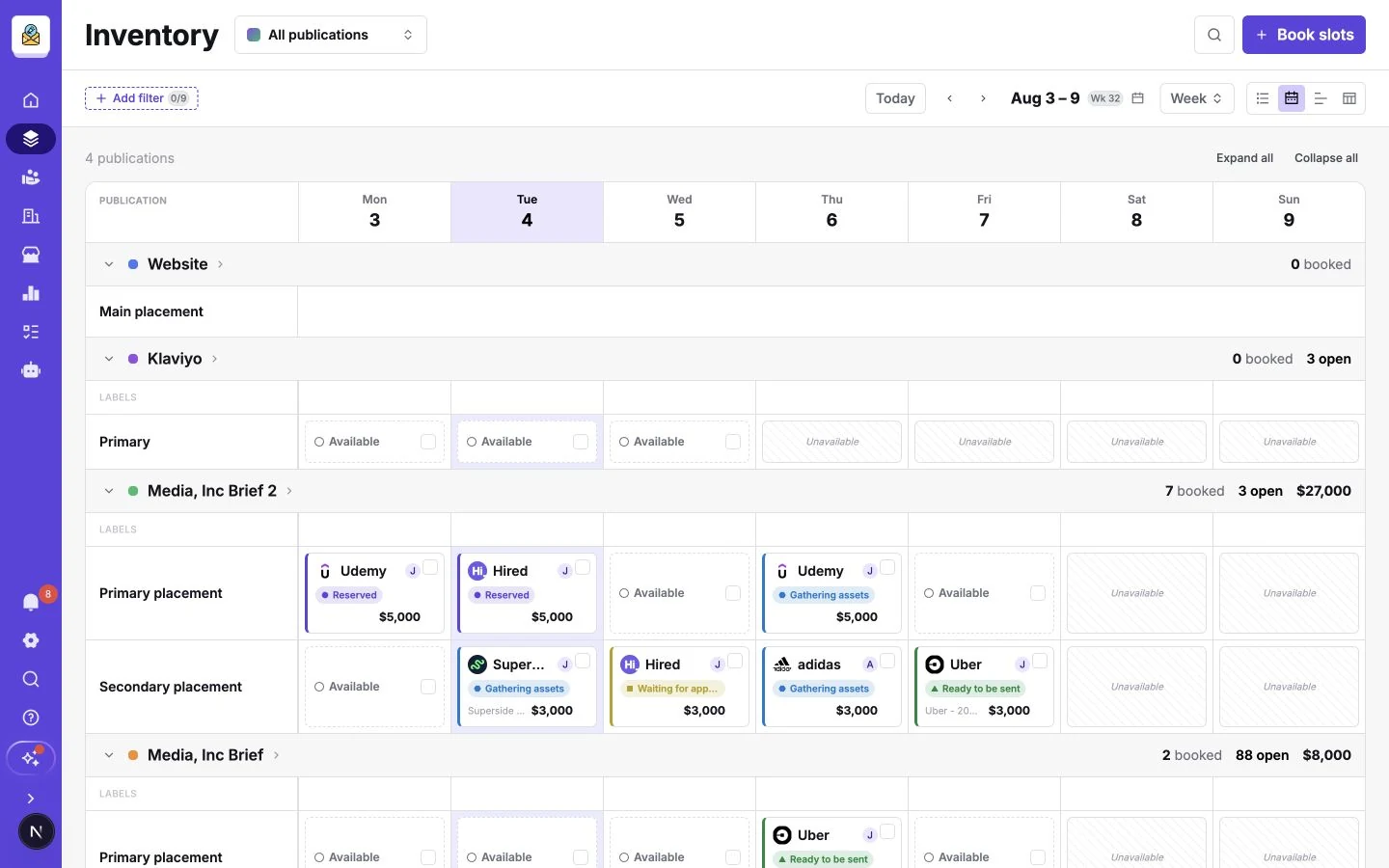
Inventory Hub
Check open dates, holds and bookings across all your publications.
Plan ad inventory
The Inventory Hub shows open dates, holds and booked placements across your newsletters, podcasts, websites and other publications. A newsletter might have an open classified in the same issue where the lead sponsorship is sold out. Use Calendar to find a date you can offer and Timeline to see where a multi-day campaign overlaps another booking. For one-off events, set the actual dates you plan to sell.
Explore Inventory Hub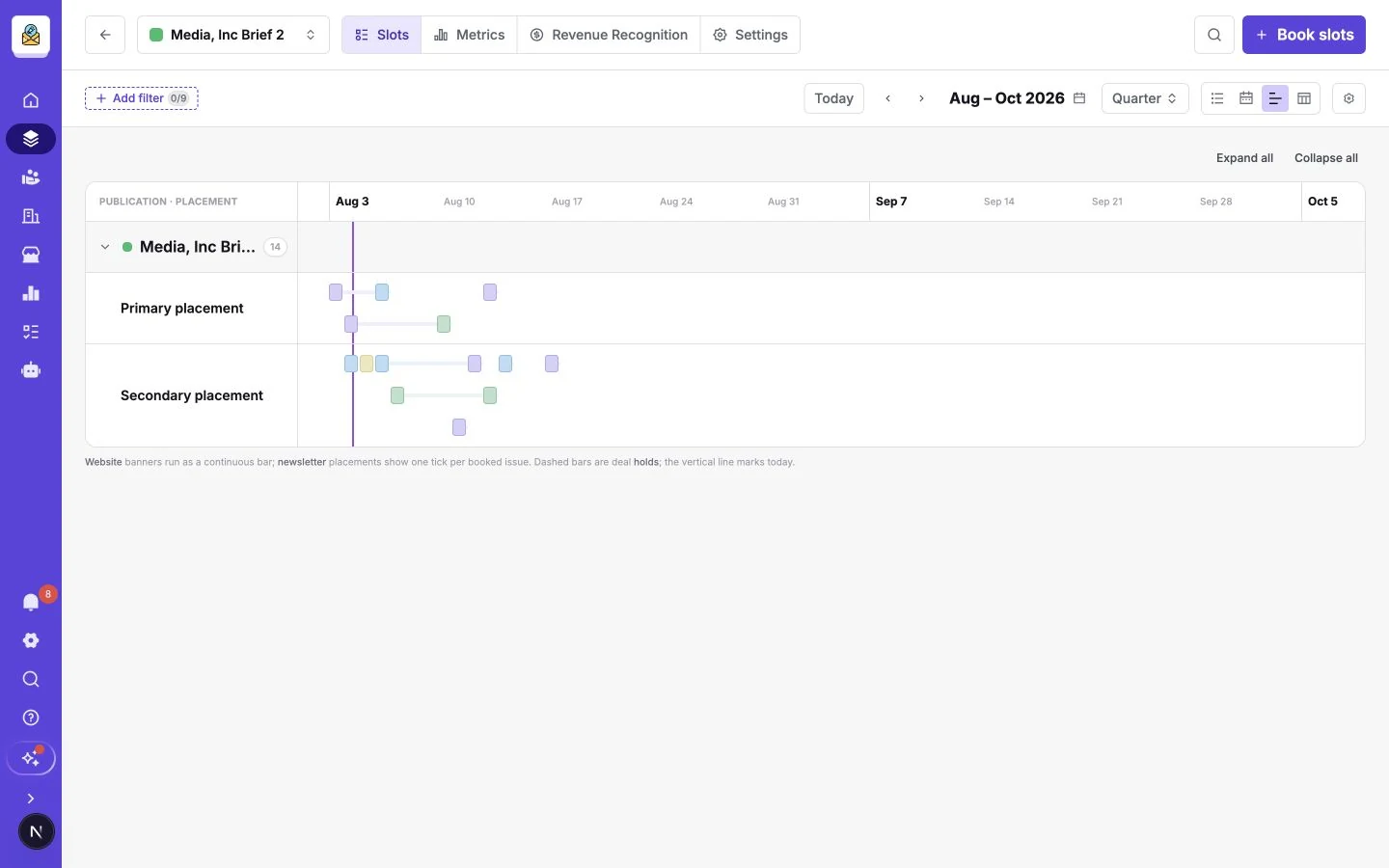
Sell sponsorships
When a sponsor asks what they can buy, you need a price, real dates and a way to agree the terms. Give repeat buyers a booking page, and use a proposal when the campaign needs a custom package.
Deals & proposals
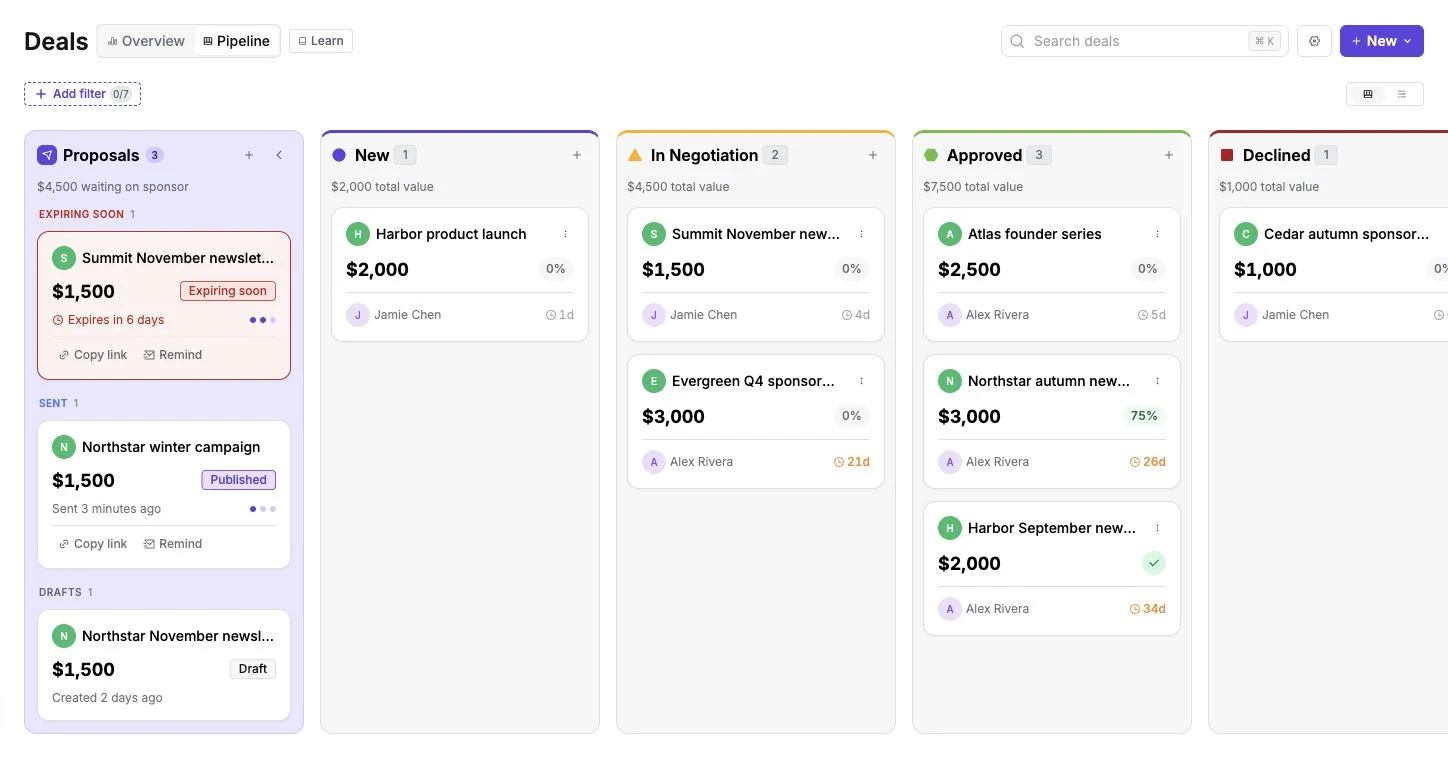
Use a deal to track the advertiser, the placements you’re selling and the agreed price. When a buyer needs to review a package, send a proposal with real dates and creative requirements. Your team can see what’s still under discussion and which placements are held before they commit the same dates to someone else.
Insertion orders
Create an advertising insertion order from a deal or proposal when a sponsor needs a formal agreement for procurement. List the placement, run dates, quantity, pricing and relevant delivery terms for each line. With e-signatures enabled, the advertiser can sign in their portal and both sides can refer back to the signed PDF.
Media sales CRM
Keep sponsor contacts, campaign history and upcoming bookings together. Before a renewal call, check who to contact, which publications they bought and when their next ad runs. Teams using HubSpot or Pipedrive can connect their CRM so the sales conversation and the work your production team delivers stay tied to the same account.
Storefront
Give sponsors a branded page where they can browse placements and packages, choose eligible dates and submit a booking. Set the prices and the dates you want to make available for self-service. You can collect payment through Stripe where you’ve enabled it. This works well for repeat buys such as a weekly newsletter classified.
Run campaigns
Once a campaign is booked, someone has to collect the assets, approve the creative and get it into the right issue. Keep the sponsor and your production team working from the same brief.
Customer Portal
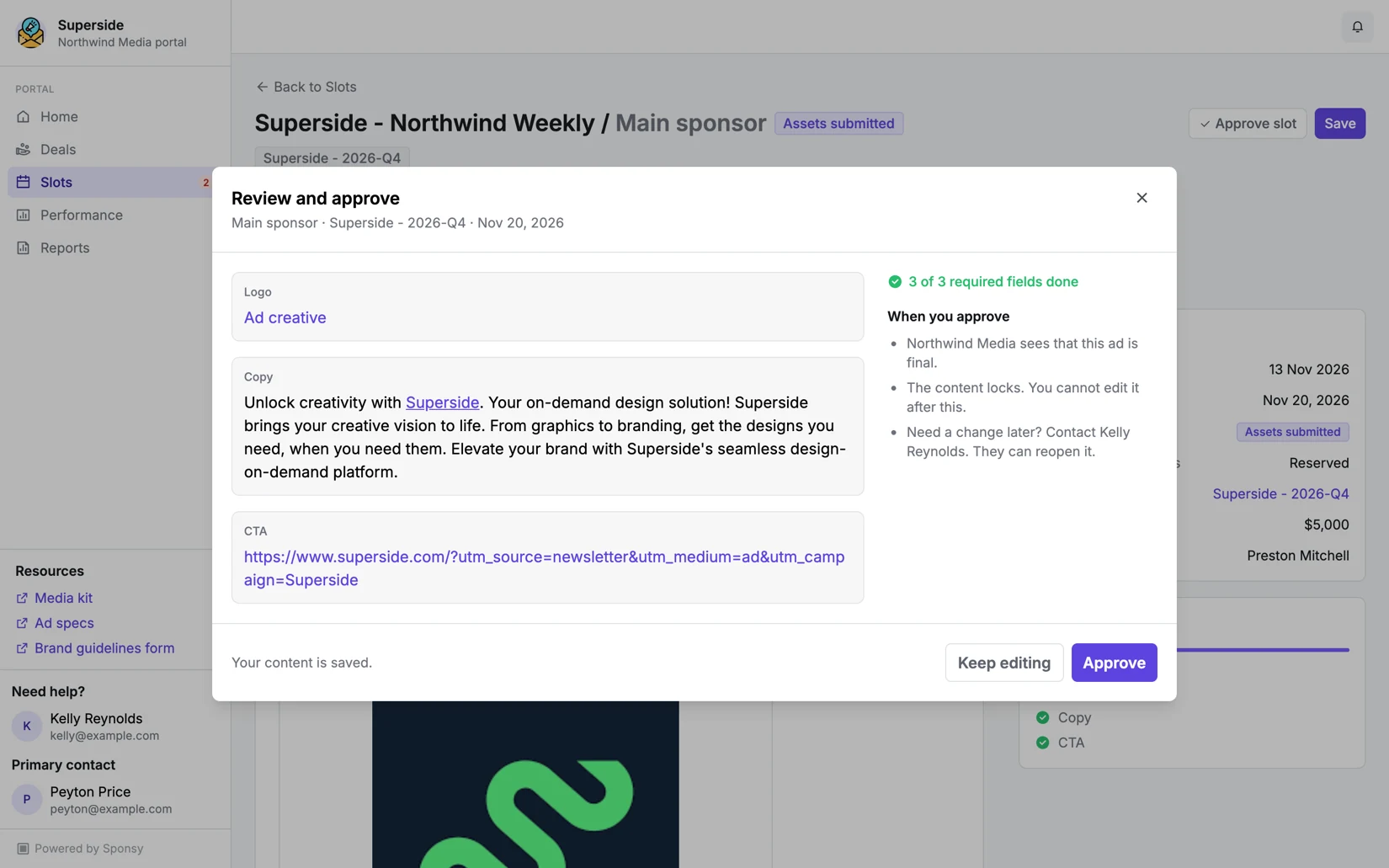
Give each advertiser a private place to see upcoming placements, upload the right assets and review their ad. The portal shows the fields and deadlines for each booking, so a sponsor buying two different formats can see what each one needs. The same portal can also give them access to agreements and campaign reports you share.
Automations
Use booking dates and events to handle the tasks that repeat across campaigns. Send an asset reminder before the due date, notify production when an ad is approved or deliver a report after a placement runs. Tie each rule to the relevant publications and conditions so your team can focus on the bookings that need a person’s attention.
Measure results
The advertiser wants to know what ran and how it performed. Your sales team also needs to know what sold, which placements are still open and where to focus next month.
Ad reports
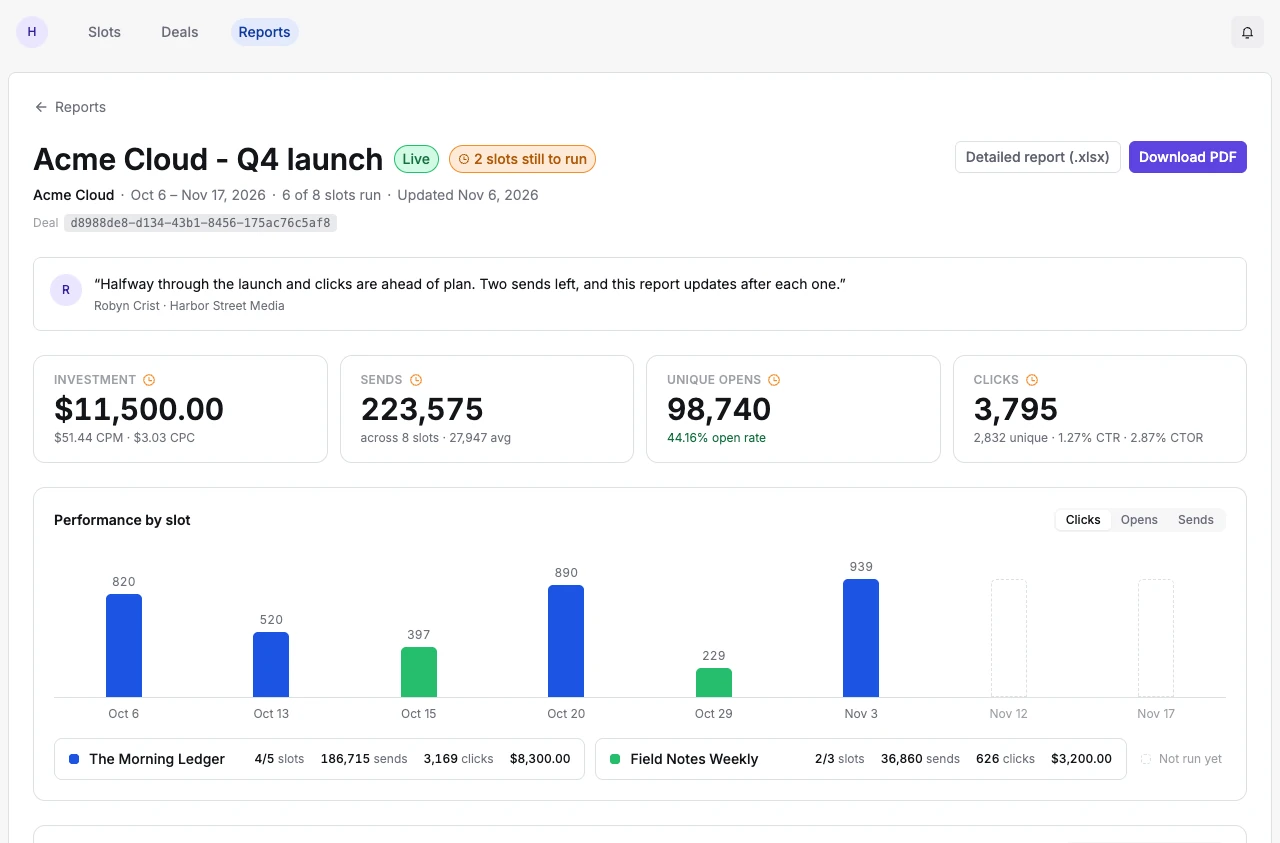
Give a sponsor one report for the campaign, with the placements they bought and the performance data available for each one. A campaign across several newsletters can show the dates that ran alongside clicks and other tracked metrics. Choose the sections the sponsor sees and share the report through the Customer Portal or a share link.
Revenue & performance
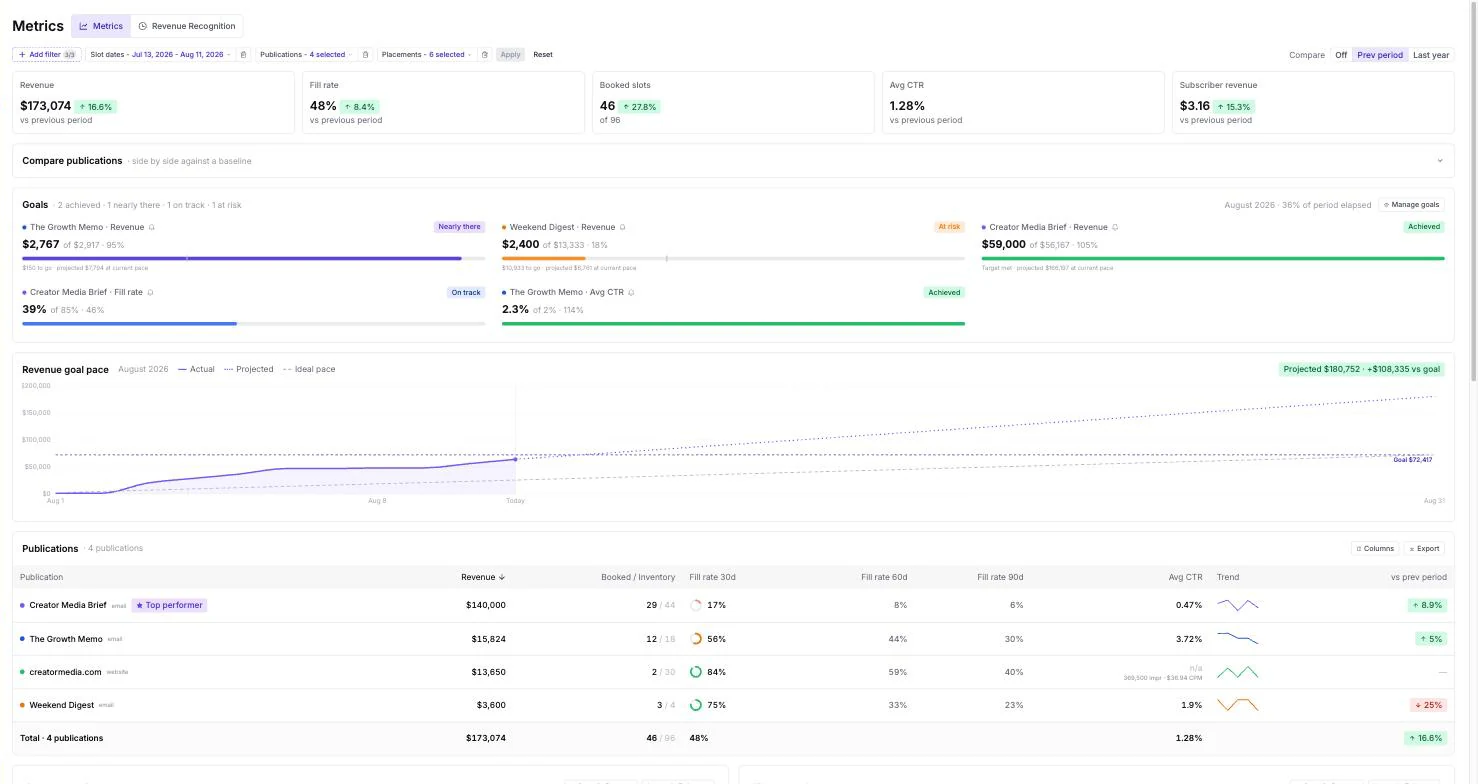
Use Metrics to see booked revenue, fill rate and ad performance across publications or placements. If one newsletter is selling out while another has open dates, look at each separately before changing your rates or pitch. Ad Reports give the sponsor their campaign results. Revenue and fill rate help you decide what your team should sell next.
Connect your tools
Bring Sponsy into the tools you already have open. A salesperson can look up a booking mid-conversation, and an editor can find the right ad while building an issue.
Chrome extension
Open Sponsy next to the work you’re doing in Chrome. In Gmail and HubSpot, look up the sponsor you’re talking to and check their bookings or the dates you can offer. When assembling a newsletter in beehiiv, find the ad block scheduled for that issue and copy it into the editor.
Sponsy MCP
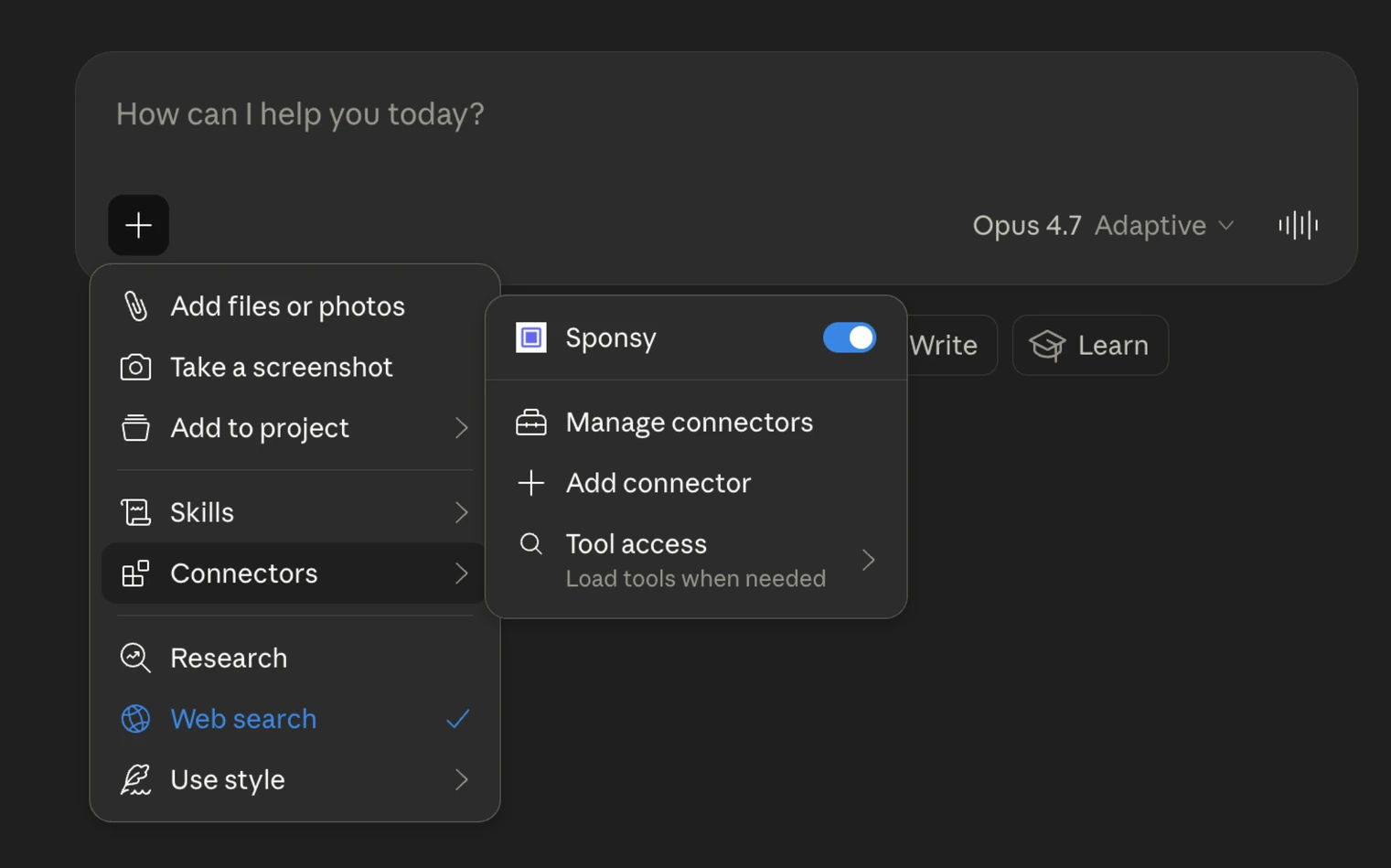
Connect a supported AI client such as Claude, ChatGPT, Codex or Cursor to your Sponsy workspace. Ask which newsletter lead placements are open next month or what a particular sponsor has booked. With write access, your team can also prepare a proposal draft with the dates and prices it has already discussed.
How a newsletter sponsorship runs in Sponsy
Say a sponsor wants placements in two newsletters during the week of a launch. Sales checks the Inventory Hub for openings and sends a proposal with the dates and creative requirements. If the buyer needs a signed agreement, the team can collect the signature on the insertion order before production starts.
After booking, the advertiser uploads their copy and artwork through the Customer Portal. An automation can tell the editor when the ad is ready, and the Chrome extension can help them insert it in beehiiv. Once both placements have run, the team can send the advertiser a campaign report and see what the bookings contributed to each publication’s revenue.